I've been a web developer since 2008, and I've watched this industry evolve from bare-bones HTML pages into a sprawling ecosystem of frameworks — .NET, PHP, Node.js, and a CMS for nearly every one of them. WordPress became the default answer for "I need a website." But here's a question I keep coming back to: why did we make things so complicated when simple still works?
Do You Really Need WordPress for a 6-Page Business Site?
If you're running a small business website — a handful of pages that rarely change — ask yourself: does installing an entire WordPress environment actually make sense?
Here's what a "simple" WordPress install actually costs you in overhead:
ComponentFilesSizewp-includes~1,972 files~45 MBwp-admin~569 files~9 MBwp-content (uploads, plugins, themes)32,000+ files4 GB+Total3,000+ core files minimum1 GB+ just to run
That's an enormous footprint for a site that might have six static pages and doesn't change from month to month.
The Real Cost of Running WordPress
Anyone who's managed a WordPress site has run into the same recurring headaches:
Database connection errors
Security vulnerabilities and hacked sites
A constant stream of plugin and theme updates
Compatibility issues after every core update
The ongoing maintenance burden of a site that doesn't even need to change
That's a lot of ongoing work to maintain a site that, realistically, needs to stay exactly the way it is.
"But We Need Themes and Plugins for Design and Functionality"
Fair point — for complex sites, WordPress still earns its place. Forums, news publications, membership sites, and ecommerce stores genuinely benefit from its plugin ecosystem and flexibility.
But for a portfolio site or a small business brochure site that rarely changes? That complexity is solving a problem you don't have.
Why Not Just Use Plain HTML?
Six pages of clean HTML can run in under 300 MB — a fraction of a typical WordPress install. The obvious objection is: "How do non-technical users edit that?"
That's exactly the gap tools like Elementor, Wix, and other visual page builders were built to close — giving non-developers a drag-and-drop way to manage content without touching code. And once you're using a visual builder like Elementor, the argument for needing a "theme" on top of it mostly disappears too.
But It's 2026 — AI Changed the Equation
Drag-and-drop solved the editing problem for its time. But we're not limited to that anymore.
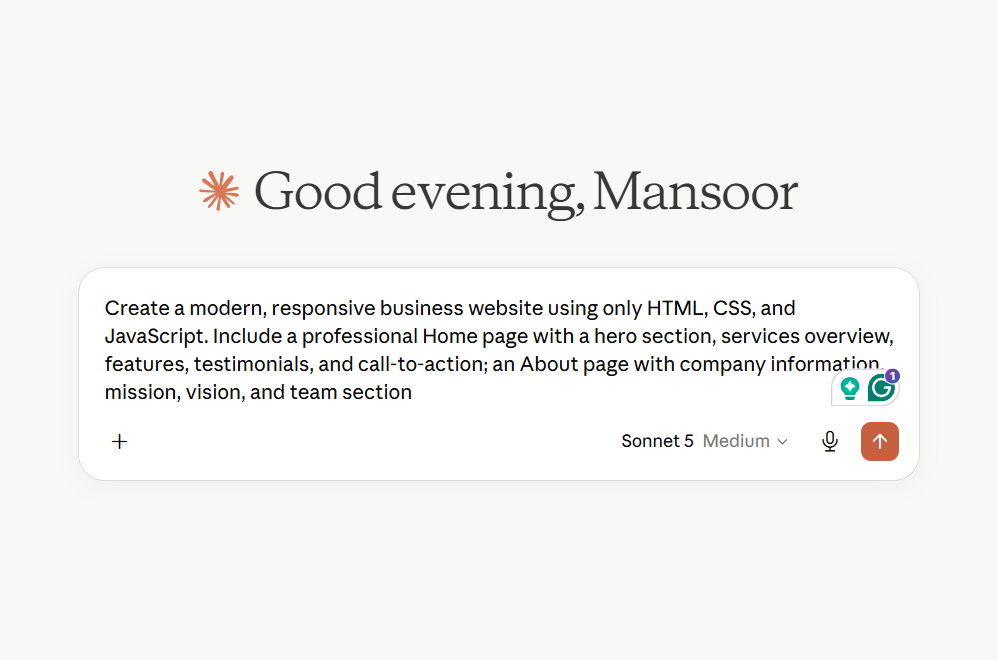
In 2026, you don't need to drag and drop blocks around a page. You can simply describe the business website you want to your preferred AI, and it generates a complete site in seconds. Need a change? Just ask. No plugins, no theme files, no database, no server maintenance — just a conversation.
That fundamentally solves the original problem WordPress and visual builders were created to fix: letting non-technical people build and manage a website without needing to be a developer. The difference is you no longer need the overhead of a full CMS to get there.
The Case for HTML Websites in 2026
Put it all together, and plain HTML becomes the most sensible foundation for a small business website in 2026:
Lightweight — a few hundred MB instead of gigabytes
SEO-friendly — no bloated CMS scripts slowing down page load
Secure by design — no database, no plugins, nothing to hack
Portable — runs anywhere, no Apache or PHP server required
AI-editable — generate and update it through natural conversation instead of a dashboard
For a static business site that doesn't need frequent updates, this is often simpler, faster, safer, and cheaper to run than a full WordPress installation — while still being just as easy to manage thanks to AI.
Where This Is Heading
WordPress isn't going away — it still makes sense for complex, content-heavy platforms. But for the millions of simple business and portfolio sites out there, the combination of lightweight HTML and AI-assisted editing is becoming a genuinely practical alternative to running a full CMS just to host a handful of pages.
Read more: [How I Use AI to Generate HTML Websites (and Still Edit Them Visually) with HTMLStudio.dev]